Property Management
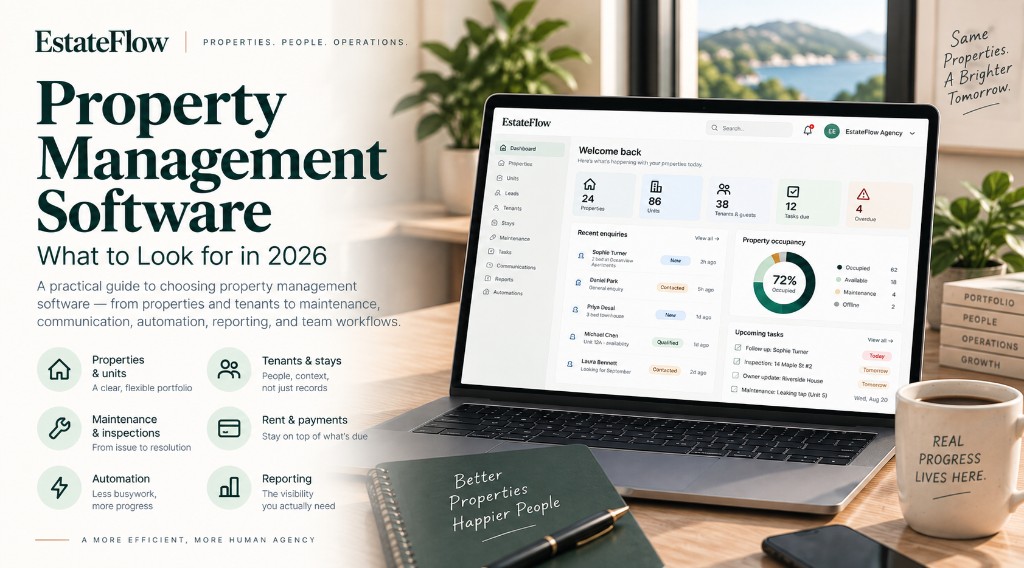
Property Management Software: What to Look for in 2026
A practical guide to evaluating property management software — from properties and tenants to maintenance, communication, automation, reporting, and team workflows.
1What property management software should actually solve
Property management software is often sold as a place to store addresses, unit counts, and tenant names. That is useful — but it is not the same as running the business.
A small residential portfolio or boutique agency typically juggles:
- Properties and units with different owners, statuses, and availability
- Tenant or guest records that change over time
- Maintenance requests and inspections
- Rent tracking and payment follow-up
- Tasks that fall between leasing, operations, and owner updates
- Enquiries that start on a website and need a human response
If those pieces live in separate spreadsheets, inboxes, and chat threads, the “system of record” becomes whoever remembered last. Good property management software should reduce that fragmentation — not add another silo labeled “inventory.”
The useful question in 2026 is not “Can it store my listings?” It is “Does it help my team move work from enquiry to occupancy to maintenance without losing context?”
2Property and unit management
Start with the portfolio itself.
You should be able to model properties and the units inside them, including:
- Address and basic property details
- Unit identifiers (apt numbers, suites, rooms)
- Listing or operational status (available, occupied, offline, and so on)
- Media and description content used for marketing
- Notes that matter to the people who actually work the building
Look for a structure that matches how you operate. A single-family rental, a multi-unit building, and a short-stay apartment are not the same operational object — even if they all have an address.
Also watch for availability that is tied to real occupancy or stay context, not just a static “for rent” flag. Teams waste time when the website says a unit is open and the ops calendar says otherwise.
For a practical walkthrough of portfolio concepts, see the EstateFlow Properties guide.
3Tenant and leasing workflows
Tenant records should be more than a contact card.
Useful systems keep:
- Current and past occupants linked to the right unit
- Lease or occupancy dates when you manage longer-term rentals
- Documents and notes in one place
- Clear handoffs when a tenancy ends and a unit turns
Agencies that also handle short stays need guest and stay context alongside longer-term tenancies. The software does not have to treat every stay like a lease — but it should not force you to invent a parallel guest spreadsheet either.
When evaluating vendors, ask how a new enquiry becomes a qualified prospect, then a resident or guest, without retyping the same details three times.
4Maintenance and inspections
Maintenance is where “we have software” often fails in practice.
A workable setup usually includes:
- A way to log issues against a property or unit
- Ownership so someone is responsible
- Status tracking from reported to resolved
- Inspection records that capture what was checked and what failed
Inspections should connect back to units and follow-up work. Completing a move-out inspection should not end as a PDF sitting in someone’s downloads folder with no task attached.
If your team coordinates vendors by text message, look for software that at least creates the operational task and keeps history visible — even when the vendor conversation happens elsewhere.
5Rent and financial operations
Property managers need visibility into rent expectations and exceptions: what is due, what is late, and what has been recorded.
You do not need a full accounting suite inside your property management tool to get value. Many agencies still run books in QuickBooks or similar. What they do need is operational finance: payment status tied to units and tenancies, overdue signals, and enough history to answer an owner question without hunting through email.
Be wary of products that bury rent tracking behind complex general-ledger workflows you will never use — or that skip payment status entirely and leave you in a spreadsheet.
6Tasks and day-to-day operations
Every portfolio generates work that is not a lead and not a work order: turn reminders, owner updates, document collection, key handoffs, and one-off follow-ups.
Property management software should let you create tasks with owners and due dates, and preferably attach those tasks to the property, unit, lead, or stay they belong to. Context-free to-do lists recreate the same problem as sticky notes — the work is visible, but the “why” is not.
7Communication and follow-up
Prospects, tenants, owners, and vendors expect replies. Teams expect a record of what was said.
Evaluate how the product handles:
- Enquiries that start on your website or listing pages
- Follow-ups that need a reminder, not just a note
- Messages that should stay attached to a lead or property conversation when your messaging channels are connected
A shared inbox alone is not lead management. A CRM alone is not property operations. The goal is fewer places to check before you know who needs a reply and what they asked about.
8Automation that reduces busywork
Repetition is expensive: notifying the team when an enquiry arrives, creating a follow-up after a status change, reminding someone before checkout, or opening a task when an inspection completes.
Automation is valuable when:
- The trigger is clear (a new enquiry, an overdue follow-up, an inspection completed)
- Conditions prevent noisy runs
- Actions are limited to work the system can do reliably (create a task, notify the team, schedule a follow-up)
- Humans still own judgment calls
Automation that fires without visibility creates distrust. Prefer tools that show what ran and why.
9Reporting and visibility
Owners and operators ask simple questions that are hard to answer from scattered tools:
- Which units are available this month?
- Which leads are waiting on us?
- Which tasks are overdue?
- Where are rent exceptions?
Reports do not need to be elaborate dashboards. They need to be trustworthy enough for a Monday morning standup. If every report requires exporting three CSVs and a VLOOKUP, the software is not yet your operating system.
10Website and lead integration
Many agencies still treat the website as a brochure and the CRM as a separate product. That split creates lag: a form submission lands in email, someone copies it into a sheet, and follow-up starts late — or not at all.
Modern property management and agency software should connect public listings and enquiry forms to the same portfolio and pipeline your team works in. The visitor sees a property page; your team sees a lead with property context.
EstateFlow is built around that connected-workspace idea: portfolio, leads, follow-up, and website publishing share the same agency context rather than living as unrelated products. You can explore how that shows up in practice in the Properties guide and Leads guide.
11Team permissions and scalability
Small teams still need boundaries. Not everyone should edit billing settings, publish the website, or see every owner note.
Ask about:
- Roles and permissions that match how you staff the agency
- Auditability for sensitive changes
- Whether the product still works when you add a second location, a second brand site, or more units
Scalability is not only “unlimited listings.” It is whether the workflow stays coherent when more people touch the same portfolio.
12Questions to ask before choosing software
Use these in demos and RFPs:
- How do properties, units, and availability relate to each other?
- When a website enquiry arrives, what record is created — and who owns the next step?
- How do maintenance issues and inspections create follow-up work?
- What rent or payment status can my team see without leaving the product?
- Can tasks and follow-ups attach to properties, units, and leads?
- What can be automated today, and how do we see automation history?
- How does the public website stay in sync with portfolio data?
- What permissions exist for leasing vs. operations vs. admin work?
- What happens when we grow from 20 units to 200?
- Which parts of the workflow still require a spreadsheet after go-live?
13Final takeaway
Property management software should do more than store property information. It should help your team run a connected operating rhythm: inventory, people, money signals, maintenance, communication, and follow-up in one coherent workspace.
Catalog software helps you list. An operating system helps you work. Choose the second — and judge every feature by whether it reduces handoffs, not whether it looks impressive in a demo.