Automation
Real Estate Automation: 10 Workflows Agencies Can Automate
Ten practical automation workflows for lead follow-up, property operations, inspections, stay reminders, and team notifications — plus what should stay human.
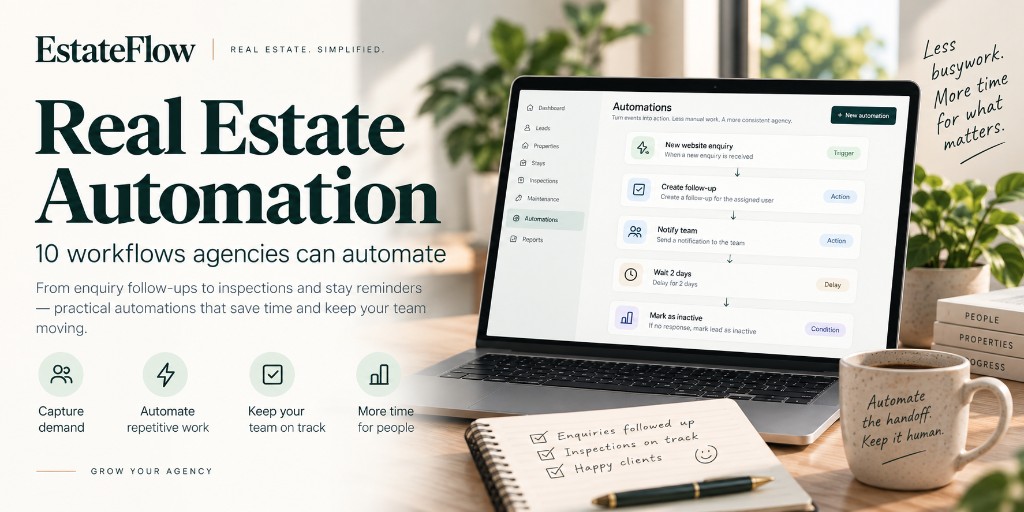
1Real estate work is full of repetition
Agency teams do the same kinds of work every week:
- A website enquiry arrives and someone needs to know
- A lead needs a follow-up two days later
- A status change should trigger an internal handoff
- An inspection finishes and someone still has to create the next task
- A stay checkout is coming up and ops needs a reminder
- Maintenance work creates follow-through that is easy to forget
Real estate automation is not about removing people from relationships. It is about removing the copy-paste steps between the event and the next responsible action.
This article covers 10 practical workflows agencies can automate, plus the principles that keep automation trustworthy.
For product-level how-tos, see the EstateFlow Automations guide.
2What should be automated vs. what should stay human
Good candidates for automation
- Notifications when something new needs attention
- Creating a follow-up or task with a clear due date
- Assigning a default owner when rules are simple
- Reminding the team when a lead goes quiet
- Kicking off operational checklists after inspections or stay events
Keep human
- Qualifying whether a prospect is a fit
- Negotiation and pricing judgment
- Sensitive owner or tenant conversations
- Exceptions that do not fit your standard process
- Anything that requires reading tone or politics
If an automation would send a promise your team cannot keep, do not automate the promise — automate the internal reminder instead.
3How triggers, conditions, and visibility work
Most agency automation follows the same shape:
- Trigger — an event happens (new enquiry, status change, inspection completed).
- Conditions — optional filters so the workflow only runs when it should.
- Actions — notify someone, create a follow-up, create a task, send a template message when messaging is connected, or wait before the next step.
- History — a record of what ran, waited, succeeded, or failed.
Conditions matter because noisy automation trains people to ignore alerts. Visibility matters because silent failures are worse than no automation at all. Reliable execution beats a library of unused workflows.
410 workflows agencies can automate
New website enquiry → notify the team
When a visitor submits a form, the people who respond should hear about it quickly — in the product, not only in a buried email folder.
Why it helps: Response time starts at capture, not when someone eventually checks a shared inbox.
Keep human: The content of the first substantive reply.
New enquiry → create a follow-up
Notification alone is not a plan. Creating a dated follow-up makes the next touch explicit.
Example: New website enquiry creates a follow-up due today or within a few hours for first contact.
Why it helps: Leads stop living in “I’ll get to it.”
New property enquiry → assign a responsible teammate
If your agency routes certain listings or areas to specific people, assignment can be part of the intake path.
Why it helps: Ownership is clear before the prospect waits.
Keep human: Reassignment when capacity or specialty does not match the default rule.
Lead status changes → trigger the right internal action
Moving a lead from New to Qualified, or from Contacted to Showing, often implies work for someone else: prepare a packet, schedule a tour, update an owner.
Automations can create a task or notify the right role when a status crosses a threshold your team agrees on.
Why it helps: Stage changes become operational signals, not just labels.
Lead becomes inactive → create a follow-up
Prospects go quiet. Teams lose deals in the silence.
An inactive-lead trigger can create a follow-up or notify the owner that the conversation needs a nudge — without pretending the prospect is ready to close.
Why it helps: Re-engagement becomes systematic instead of accidental.
Inspection completion → create an operational task
When an inspection is marked complete, the next work is often still outstanding: repairs, owner summary, make-ready checklist, or unit status update.
Automation can open that task while the inspection context is fresh.
Why it helps: Completion stops meaning “file it away and hope.”
Booking / stay operational reminders
Short-stay and request-based stay operations generate predictable reminders: confirmation follow-through, checkout approaching, or post-stay tasks.
Automating reminders reduces last-minute scrambles without turning hospitality into a robot conversation.
Keep human: Guest messaging tone and exception handling.
Maintenance-related task workflows
Maintenance issues create chains: report → triage → vendor → verify → close.
You may not automate the entire chain on day one. You can automate the handoffs that are always the same — for example, creating a follow-up task when a related operational event fires, or notifying ops when work is overdue.
Why it helps: Fewer items die in chat threads with no due date.
Team notifications for time-sensitive events
Some events are valuable mainly because someone needs to know now: a new public booking request, an overdue follow-up, a failed sync that needs attention, a guest cancellation request.
Notification automations are simple and high leverage when they are targeted.
Watch out: Alert fatigue. Prefer specific triggers over “notify on everything.”
Follow-up reminders as a standing system
Beyond one-off inactive nudges, treat follow-up due dates as first-class work. Automations can reinforce the habit by creating or escalating reminders when follow-ups are due or overdue — so the CRM queue stays honest.
Why it helps: Pipeline hygiene becomes continuous, not a Friday cleanup project.
5Designing automations that teams trust
Use these checks before turning a workflow on:
- Is the trigger unambiguous? If people disagree about when it fires, fix definitions first.
- Do conditions prevent noise? Example: only certain enquiry types, or only specific status transitions.
- Are actions internal-first? Create tasks and follow-ups before you automate outbound messaging.
- Can someone see run history? If a lead did not get a follow-up, you should be able to tell whether automation skipped, failed, or never matched.
- What cancels outdated waits? A delayed follow-up should not fire after the lead already converted, when your product supports canceling waiting runs.
Start with two or three workflows that match real pain — usually enquiry notify + first follow-up + inactive nudge. Expand after the team trusts the system.
6EstateFlow’s approach in plain language
EstateFlow automations are built around agency events: website enquiries, lead status changes, inactive leads, inspections, stay-related reminders, and other operational triggers — with actions such as notifying the team, creating tasks, creating follow-ups, and sending template messages when messaging providers are connected.
That is enough to remove a large amount of busywork without claiming that every possible agency process can (or should) run unattended.
7Final takeaway
The agencies that benefit most from real estate automation are not the ones with the longest automation list. They are the ones that automate the repetitive scaffolding around enquiries, follow-ups, inspections, stays, and team alerts — while leaving judgment with people.
Automate the handoff. Keep the relationship human.